


Website switch
If your current site is slow, dated or hard to update, you do not have to start from nothing. We take what is good on the old site, rebuild it properly, and show you the result before you pay. There is no build fee for a switch, and the monthly plan is the same as for any WebTag site.
- Build fee
- None
- Monthly
- The plan is from $39 a month, can vary per site
- First step
- A free demo, a designed upgrade of your current site
- Clients so far
- Eden Roskill Cricket Club, Auckland Tamil Association
Who a switch suits
A switch is for a business that already has a site and has outgrown it. The reasons are usually the same. It looks old. It is awkward on a phone. Nobody remembers the login. Changing a price takes an afternoon. Or it is on a platform where the monthly costs keep climbing.
If that sounds like you, a switch keeps the parts that work, such as your pages, text and photos, and replaces the parts that do not.
Two switches we have done
Eden Roskill Cricket Club was on an outdated Wix site. They wanted something cleaner, more modern and easier to get around, built to bring in registrations, with the club's history up front. The new site has teams, programs, venue hire and a live calendar for net bookings, and its forms land in the club's dashboard.
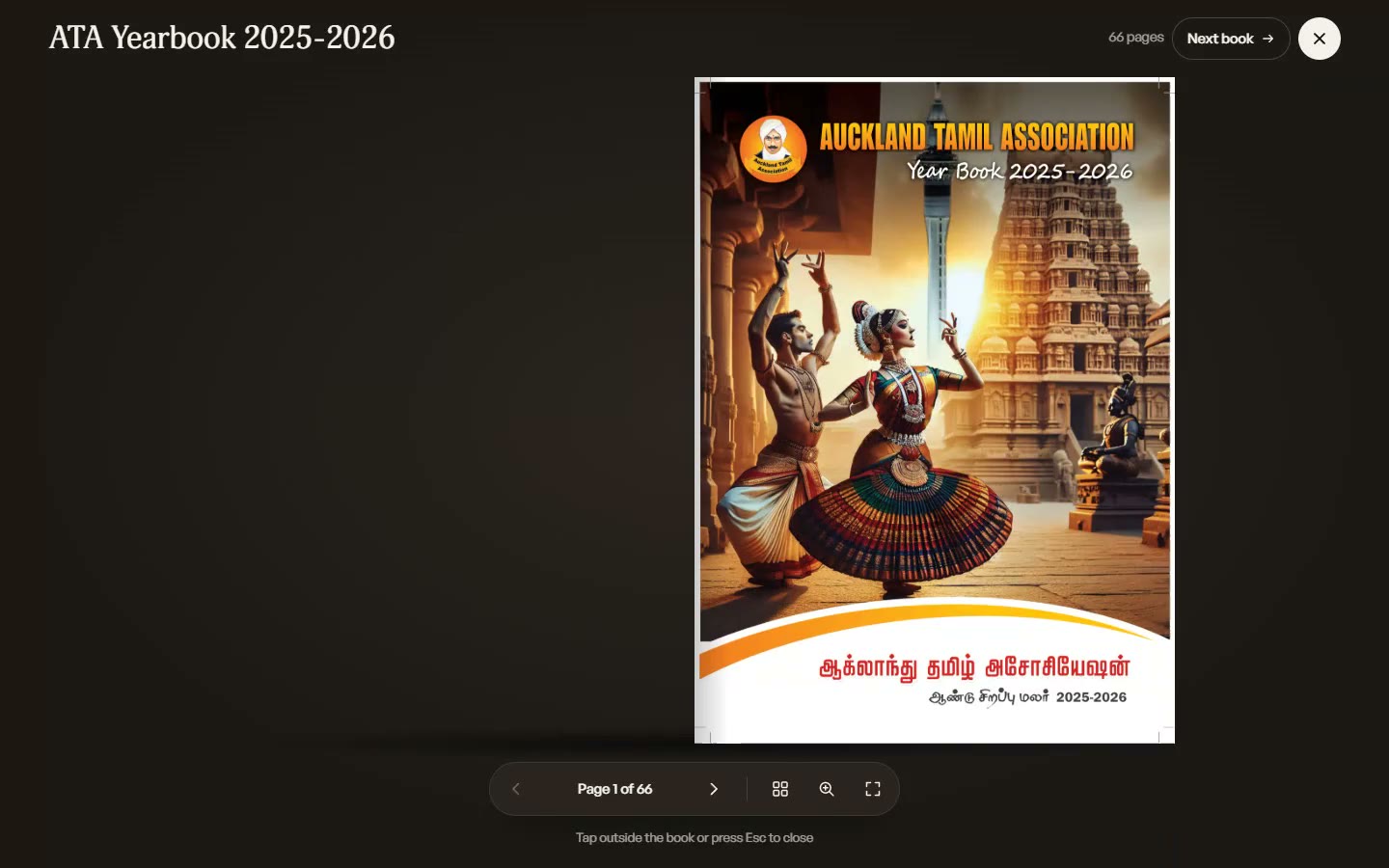
For the Auckland Tamil Association, every page of the old site was rebuilt, with headings in Tamil and English. The new site adds an events archive of photos and videos, a yearbook library with a page-flip reader, and membership, renewal and Tamil School forms that go into their dashboard. It is live on its own domain.
How a switch works
- 1
Keep your content
You tell us where the old site lives. We list the pages, text, photos and documents worth keeping.
- 2
See it before you pay
We design a free demo of your new site built from what you already have. You can compare it side by side with the old one.
- 3
Agree the changes
You tell us what to alter. We adjust the demo until you are happy, and then confirm the work.
- 4
Rebuild by hand
The pages are built and tested on phones and desktops. Forms get spam protection, and each one is set to land in your dashboard.
- 5
Launch and move the address
We handle the domain, the hosting setup and going live, so the old site is replaced at the right moment and your address keeps working.
What stays and what changes
- Your address stays the same wherever possible, so customers and search engines still find you.
- Your good text and photos come across, edited for clarity where needed.
- The design, layout and menus are new.
- The way you edit changes to the WebTag dashboard.
What you need to do
- Tell us where your site and domain are held, and who has the logins.
- Send any text or images that are not on the old site.
- Pick a quiet time for the changeover if you take orders or bookings online.
- Check the demo against the old one and list anything missing.
Common mistakes when changing sites
The usual one is cancelling the old site before the new one is live. Another is losing the domain login, which stops you moving the address. A third is dropping old pages without a plan, which breaks links that customers saved.
We check each of these before the switch, so the new site starts working for you the day it goes live.
Once it is running, the monthly plan covers hosting, security and backups, plus your dashboard.
What a switch is not
A switch is not a copy and paste of your old pages. Copying a poor layout into a new system gives you the same problems in a new place. We use the old site as a source of facts and content, then design the pages again.
It is also not a promise that everything will be kept. If a page is out of date or never gets visitors, we will suggest dropping it, and you decide.
How long to leave between demo and launch
Take the time you need to look at the demo. Show it to a staff member and a customer. A few days of feedback at this stage is cheaper than changes after launch, and nothing is going live until you are ready.
Sites we moved

Questions
What does a switch cost?
There is no build fee. The monthly plan is from $39 a month, can vary per site, covering hosting, security, backups and the dashboard.
Will I lose my content?
No. We keep what is worth keeping and tell you what we have changed.
Can I keep my domain?
Yes. We handle the domain and going live, so your address carries across.
Do I see it first?
Yes. A free demo is designed first, and you pay nothing until you are happy.
Is it better than a brand new site?
If your content is mostly right, a switch is quicker. If you need a very different site, we can discuss a bespoke build.