
E-commerce website development
An online shop has a harder job than a brochure site. People have to find a product, trust the page, pay, and know when it will turn up. We design and build shops by hand for New Zealand businesses, and we show you a free demo before you pay anything.
- Price
- Ask for a quote
- Client example
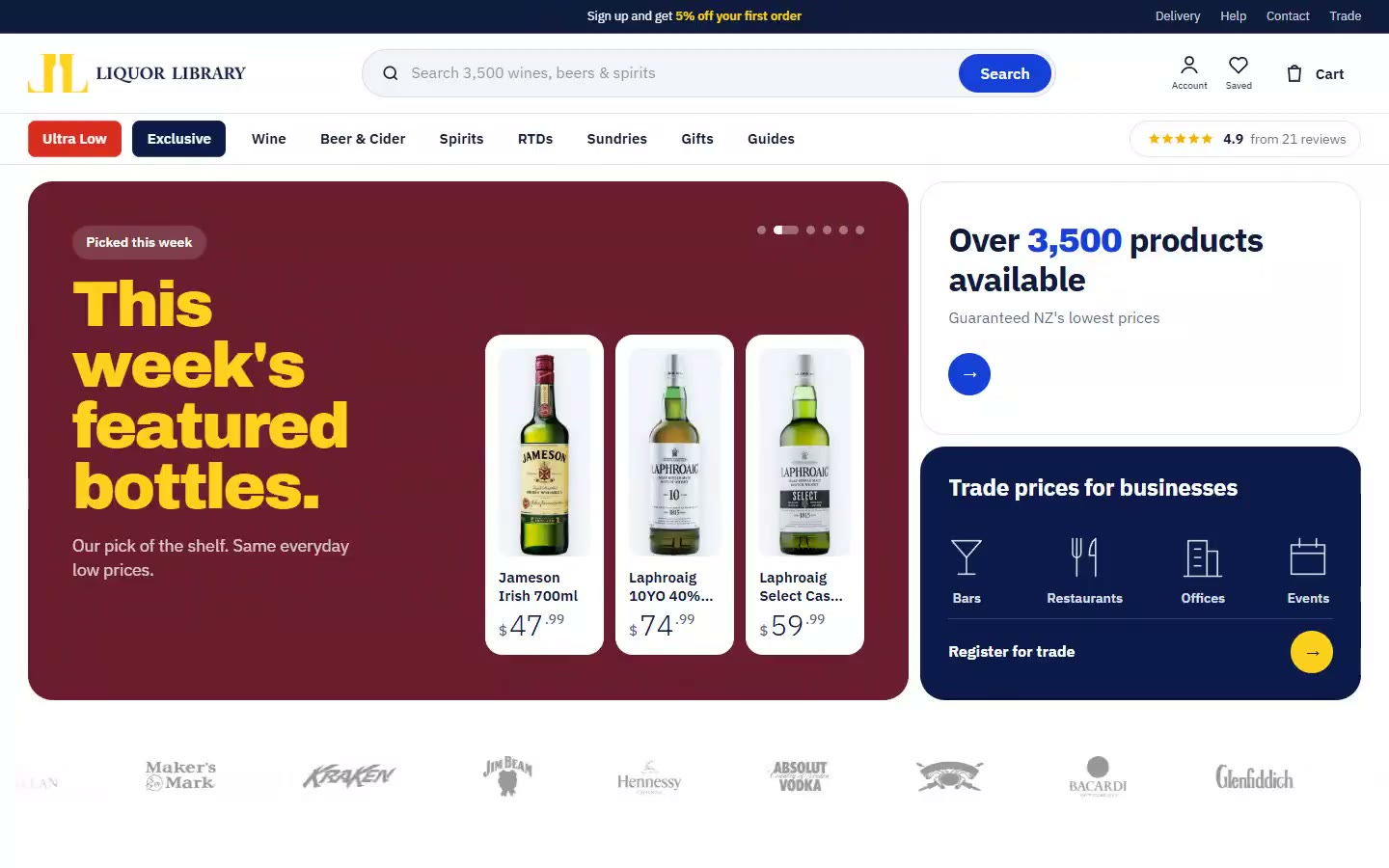
- Liquor Library, over 3,500 products online
- First step
- A free demo of your shop
- Clients so far
- Liquor Library
What an online shop needs to get right
Most lost sales in a shop come from small things. A search box that cannot find a product by its everyday name. A delivery cost that only appears at the last step. A photo that is too dark to judge the item. We plan the shop around those moments, because the customer decides in seconds.
Before we draw anything, we ask how people already buy from you. Do they phone and ask what you have? Do they pick up in person? Do they want it posted? The answers decide how the menu is laid out, which products sit on the front page and what the checkout asks for.
- Product pages with clear photos, a plain description, the price and the delivery information in one place.
- A menu that follows how customers talk about your range, not how your stock system names it.
- A checkout that asks only what you need to send the order.
- Pages for the buyers who are not a single shopper: gift buyers, businesses and repeat customers.
An online shop from our client list
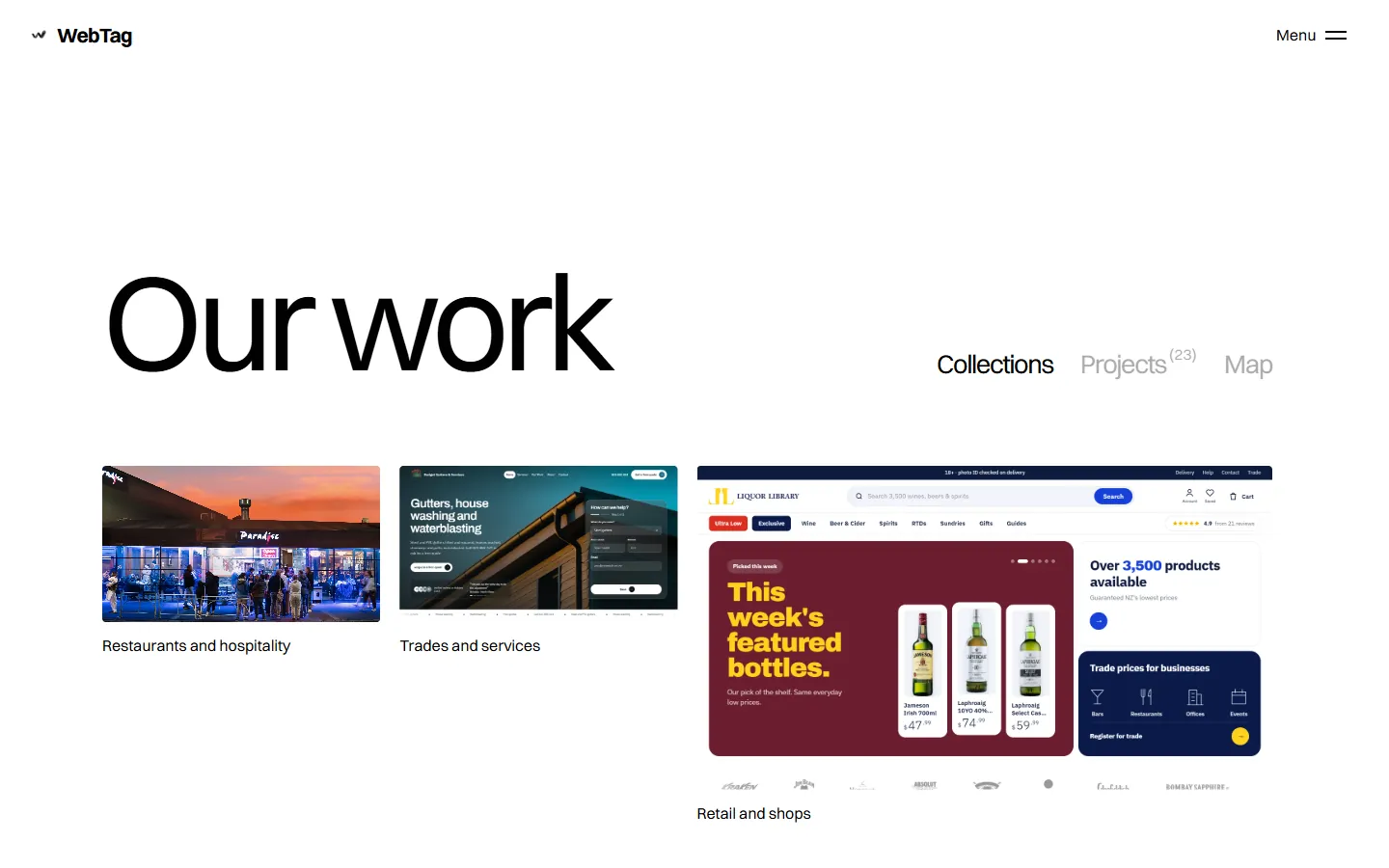
Liquor Library is an online liquor store with delivery across New Zealand and over 3,500 wines, beers and spirits. It is listed with our e-commerce clients. A range that large has to be easy to browse, which is the kind of problem we plan a shop around.
The shop has pages for gifts, trade buyers and guides alongside the main range. We use it as an example of how a big range can be organised, not as a promise of the same result for your shop.
How we scope a shop
- 1
Talk through the range
You tell us how many products you sell, how they are grouped, and which ones make most of your sales. A shop of 20 products and a shop of 3,500 need different menus and different search.
- 2
Choose the platform together
Some shops suit a hosted shop platform. Others suit a site with a small shop attached. We explain the choice in plain words and recommend the simpler one when it does the job.
- 3
See a free demo
We design the front page, a collection page and a product page, so you can judge the look and the flow before you commit.
- 4
Build and load the range
We build the pages by hand, set up the product layout and test an order from a phone, including the mistakes people make at checkout.
- 5
Launch and hand over
We set up the domain and go live. You learn how to add a product, change a price and mark something sold out.
What you need to bring
The slowest part of any shop is the product information. Photos, names, descriptions, sizes, prices and stock all have to exist somewhere before they can go on a page. If they are in a spreadsheet or your stock system already, we can plan the import. If they are not, start with your twenty best sellers and add the rest later.
- Product photos, ideally on a plain background and the same shape each time.
- A spreadsheet or export of your product names, prices and descriptions.
- Your delivery areas, courier costs and returns rules, written down.
- Any rules that apply to what you sell, such as age checks.
Common mistakes with a first online shop
- Loading the whole range on day one with poor photos. A smaller range with good photos sells better.
- Hiding the delivery cost until the end. Customers leave when the total jumps.
- Copying the manufacturer's description word for word. Search engines and shoppers both want your own wording.
- Forgetting who answers the questions. Put a phone number and a way to ask on every product page.
If you only sell a handful of items, a standard site with an enquiry form may do the job for less. We will tell you so before you spend money on a shop you do not need.
Keeping the shop running
A shop is never finished the way a brochure site is. Prices change, stock runs out and a new line arrives. We set it up so everyday changes are yours to make. The monthly plan covers hosting, security, backups and the dashboard, from $39 a month, can vary per site. A shop with more going on can sit at a different price, and we say so at quote time.
An online shop on our client list
Questions
What does an online shop cost?
Ask for a quote. The price depends on the size of the range and what the shop has to do. A standard website without a shop is $699 upfront, with hosting, security, backups and the dashboard from $39 a month, can vary per site.
Do I see the shop before I pay?
Yes. We design a free demo first, covering the front page, a collection page and a product page.
Can I add products myself?
Yes. We show you how to add products, change prices and update the pages after launch.
Can you move my shop off another platform?
We can look at it. The website switch page explains how we handle a move.
I only sell a few things. Do I need a shop?
Maybe not. A standard site with a clear enquiry form can be enough, and we will say so.